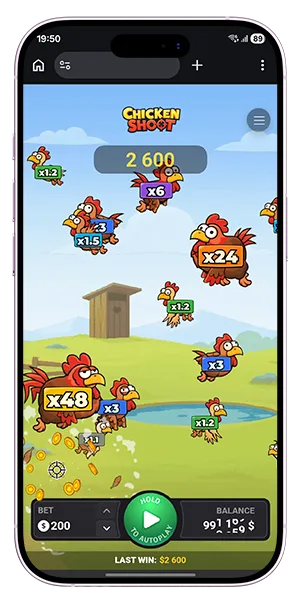
Chicken Shoot Demo: Free Play and Practice Mode
Chicken Shoot Demo gives you a way to learn the game without risking real money, while keeping the same one-shot round structure, target selection, and multiplier system as the main version. You can test manual shots, use the SPIN control, and explore auto settings in a format built for practice, timing, and understanding how different chicken types behave during play.
The demo version is useful when you want to study round flow, compare target values, and get comfortable with multiplier growth after repeated failed shots on the same chicken. Chicken Shoot free play keeps the mechanics clear: set a stake, choose a target, fire, and see the result instantly. That makes demo mode the most direct way to understand the pace, controls, and risk structure of the game before moving to real-money play.
What Chicken Shoot Demo Mode Includes
Demo play keeps the same core structure as the main game, so you can learn the rules, controls, and pace without changing the way rounds work. The difference is simple: instead of risking real money, you play with virtual balance while keeping the same one-shot round logic, target selection, and multiplier behavior.
Virtual credits and no financial risk
The demo version is built for practice. You can place shots, follow moving targets, and test different play rhythms without putting real funds into the round. That makes it easier to focus on timing, target choice, and the way different multipliers affect your decisions.
Same mechanics as real-money play
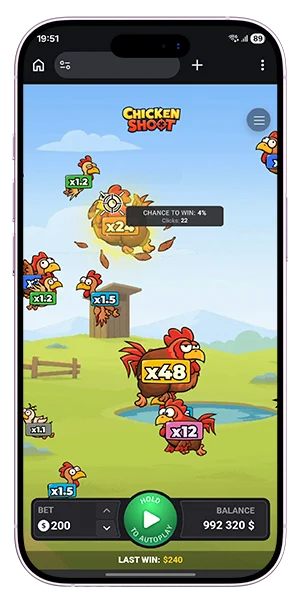
The game flow stays the same in demo mode: you set a bet, choose a chicken, fire one shot, and get an immediate win-or-loss result. Manual targeting, SPIN-based shooting, and auto settings remain available, so the practice version reflects the real structure of the game instead of simplifying it.
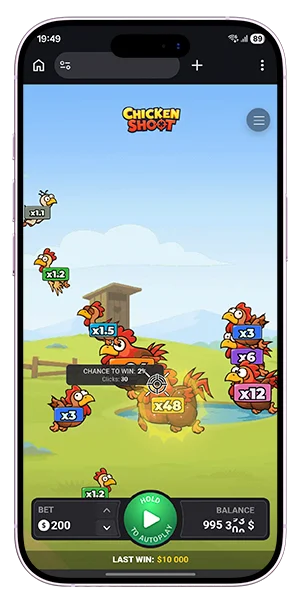
Learning the pace of one-shot rounds
Because every round ends after a single shot, demo mode is useful for getting comfortable with the speed of play. You can test how quickly targets cross the screen, how touch or click timing affects your control, and how multiplier growth changes the value of missed chickens over time.
| Demo element | What you can practice |
| Virtual balance | Round flow without financial risk |
| One-shot structure | Fast decision-making and timing |
| Manual targeting | Choosing and tracking moving targets |
| SPIN and auto mode | Continuous play and longer practice runs |
| Multiplier behavior | Risk levels and value growth after misses |
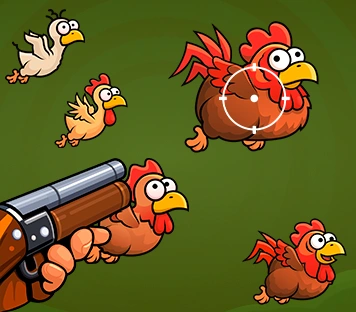
How to Play Chicken Shoot Demo
Demo mode is the simplest way to understand how the game works before switching to real-money play. The structure stays direct: set your stake, choose a target, fire, and see the result immediately. That makes practice useful not only for learning the controls, but also for understanding how target values and round speed affect your decisions.
Open the game in demo mode
The game can be launched in practice mode before any real-money session begins. Once demo access is active, you enter the same play field with the same moving chickens, multipliers, and controls used in the main version.
Set your stake and test targeting
Before each round, you choose the amount for the shot and then select a chicken on the screen. Demo play lets you repeat this process as often as needed, which makes it easier to test low and high multipliers, compare movement speed, and get used to the timing of individual shots.
Practice manual shots and auto mode
Manual mode helps you train direct target selection, while auto settings let you explore longer sequences without repeated input. You can also hold the SPIN button for continuous shooting and compare how different play styles feel during practice.
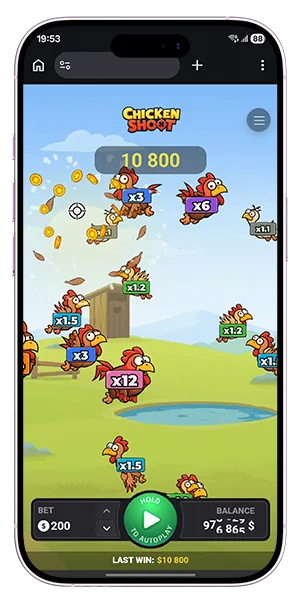
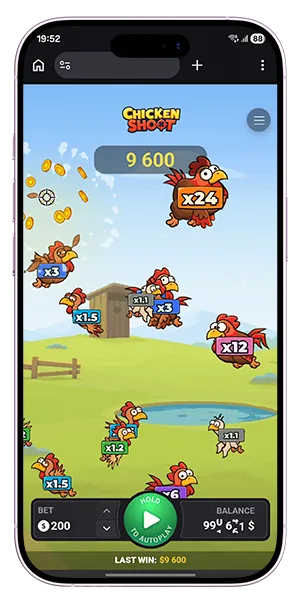
The practice flow is clear:
- Open Chicken Shoot demo.
- Set the stake for the round.
- Select a chicken or use SPIN.
- Watch the result instantly.
- Repeat shots to test timing, multipliers, and rhythm.
Demo vs Real Money Play
Understanding the difference between practice mode and real-money gameplay helps you decide when to move from testing to active play. Chicken Shoot demo keeps the same structure and controls, but replaces real stakes with virtual balance, so you can focus on learning without financial pressure.
What stays the same
The core mechanics do not change between modes. You still place a bet before each round, select a target, fire one shot, and receive an instant result based on the multiplier attached to that chicken. Manual targeting, SPIN control, and auto play all work exactly the same.
Key elements that remain identical:
- one round equals one shot,
- target selection and movement across the screen,
- multiplier range and value behavior,
- instant win-or-loss outcome per shot,
- availability of manual and auto play modes.
What changes between the two modes
The main difference is the type of balance used. Demo mode uses virtual credits, while real-money play applies actual stakes and payouts. This affects how results are valued but does not change how the game functions.
When to switch to real play
The move from demo to real play usually happens once you feel comfortable with timing, target selection, and the way multipliers increase after repeated missed shots. At that point, the structure of the game is already familiar, so the transition is straightforward.
| Aspect | Demo mode | Real-money mode |
| Balance type | Virtual credits | Real funds |
| Gameplay mechanics | Same | Same |
| Risk level | None | Based on stake |
| Outcome value | Practice only | Real payout |
Why Demo Mode Matters
Free play is valuable because it lets you understand the game before real stakes are involved. Chicken Shoot demo gives you time to learn the speed of rounds, the movement of targets, and the effect of different multipliers without adding financial pressure to each decision.
Understanding the rhythm of the game
The one-shot structure makes timing especially important, and demo mode helps you get used to that rhythm quickly. You can repeat rounds, adjust your pace, and see how fast decisions need to be made when chickens move across the screen.
Testing risk preferences
Practice mode also helps you decide which target values fit your style. Some players prefer lower multipliers and steadier choices, while others focus on higher-value chickens and more volatile outcomes. Demo access lets you compare both approaches under the same conditions.
Learning controls before betting real money
Manual targeting, SPIN-based shooting, and auto play all become easier to use after repeated practice. By the time you switch to real-money play, the controls already feel familiar and the round structure is easy to follow.
| Demo benefit | What it helps you do |
| No-risk practice | Learn the game without using real money |
| Repeated rounds | Improve timing and target tracking |
| Multiplier testing | Compare safer and riskier targets |
| Control training | Get comfortable with manual and auto play |
FAQ
What is Chicken Shoot demo?
Chicken Shoot demo is a free-play version of the game that uses virtual credits while keeping the same one-shot rounds, target selection, and multiplier system as the main version.
Can I play Chicken Shoot demo without registration?
Demo access is available directly through the game interface, allowing you to start playing without creating an account or making a deposit.
Is Chicken Shoot demo different from real-money play?
The mechanics are the same in both versions, including manual targeting, spin control, and auto play. The only difference is that demo mode uses virtual balance instead of real funds.
Can I use auto play in demo mode?
Yes, auto settings are fully available in demo mode. You can set the number of rounds, choose target types, and run continuous play just like in the main version.
What can I learn in Chicken Shoot demo?
You can practice timing, test different multipliers, follow target movement, and understand how value increases after repeated missed shots on the same chicken.
When should I switch from demo to real play?
You can move to real play once you feel confident with the controls, understand how targets behave, and are comfortable with the pace and structure of one-shot rounds.